Coordination Infrastructure
Groups and Treks: The Framework for Coordination
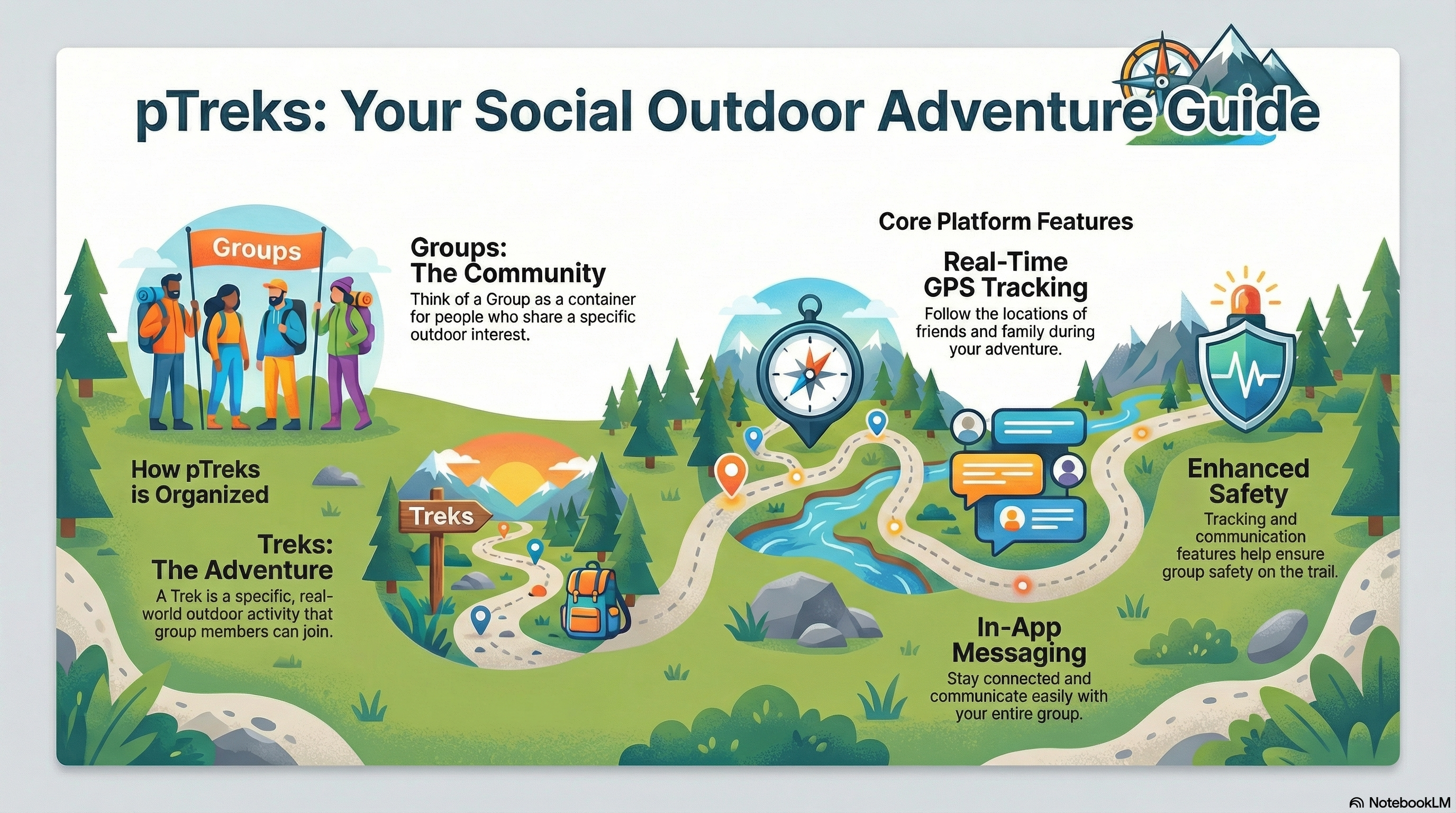
pTreks provides the structure needed to manage Trek Activities through two fundamental building blocks: Groups and Treks.
👥 What Are Groups? (Trek Activity Coordination Hubs)
Groups are the organizational foundation of pTreks. Think of a Group as a coordination hub that brings together teams who share a common Trek Activity or group context.
When you create a Group, you're establishing a dedicated coordination space where teams can plan, communicate, and stay synchronized during their Trek Activities. Whether it's a "Desert Patrol" or a "Peak Ascent Team," Groups keep every member aligned.
Key Characteristics of Groups:
- Created by users to organize people around a specific activity type or interest
- Have their own member roster, allowing you to see who's part of your community
- Use Group Comments for planning threads, interest polls, and updates—the group’s shared discussion wall (not live chat)
- Serve as the container that holds multiple related Treks
- Can be public (open for anyone to discover and join) or private (invitation-only)
- Maintain a history of all Treks that have been organized within the group
🗺️ What Are Treks? (Active Trek Activities)
Treks are the actual physical outdoor activities that happen in the real world. A Trek represents an active Trek Activity that group members coordinate in real-time.
When you create a Trek, you're starting a Trek Activity with a specific objective, timetable, and safety protocols. For instance, a Trek within a "Desert Patrol" group would be a "Safety Sweep of Red Rock Canyon."
Key Characteristics of Treks:
- Represent actual physical activities with real dates, times, and locations
- Are created within a Group and are associated with that group's activity type
- Allow group members to opt-in and participate based on their interest and availability
- Includes GPS tracking during the activity so participants can see each other's locations in real-time
- Support real-time messaging for trek participants during the activity, plus comments and files tied to that trek
- Supports file sharing, photos, and moments captured during the adventure
- Can be planned in advance or created spontaneously for immediate activities
💬 Built for Coordination—Not Another Social Feed
pTreks is outdoor coordination infrastructure, not a generic social network. We designed it for leaders and members who need clear plans, respectful privacy, and tools that match real group life—not endless notifications, harvested contact lists, or reply-all email chaos.
How groups talk (on purpose)
- Group Comments — Post ideas and ask who is interested (for example, “Who wants to join a summit hike in June?”). Members reply in threads. This is async planning on the group—not a chat room.
- Treks — When a plan becomes real, create a Trek. Real-time messaging and GPS apply to people on that trek during the activity, where coordination actually matters.
- A simple workflow — Comment → discuss → create a Trek → coordinate in the field.
What we intentionally avoid
We do not give organizers a button to “email every member anything you type.” Member addresses stay private. Bulk custom blasts create spam, abuse risk, and replies to system mail that never reach the person who sent the message. pTreks uses email where it belongs— invitations to join, account and security notices—not as a substitute for a Facebook group or a WhatsApp thread.
That restraint is a feature. Mundane social tools optimize engagement. pTreks optimizes logistics, safety, and trust for people who go places together in the real world.
⭐ Field Roles: Leaders and Participants
Trek Leaders
Every Trek is coordinated by a Trek Leader who provides field oversight and coordination. Safety and activity success rely on the leader's capability to maintain team alignment.
pTreks includes a comprehensive Trek Performance Rating System where teams provide feedback, ensuring high standards of safety and organization across all activities.
Field Participants
Every trek participant acts as an active team member. By maintaining real-time telemetry, participants contribute to the group's overall safety while gaining personal awareness of their team's location.
Participants benefit from automated safety alerts and personal tracking history, giving them the confidence and self-reliance needed for challenging outdoor adventures.
Remote Trek Supporters (View-Only)
pTreks integrates remote supporters into the live experience through a secure window into field activities. This real-time situational awareness provides peace of mind and eliminates the need for distracting status-check interruptions during the activity.
Supporters follow team members on live maps and monitor communications for Trek Activity updates. By reading and sending messages, they remain synchronized with the team from home, ensuring that friends and family are an active part of every journey.
🔄 How Groups and Treks Work Together
The relationship between Groups and Treks is hierarchical and intuitive: Groups contain Treks. Here's how they work together:
Establishing Your Adventure Context (Groups)
First, you create or join a Group that defines your activity area (e.g., "Social Hiking Club" or "Regional Cycling Team"). Use Group Comments to plan and align before anything is on the calendar.
Planning Specific Activities (Treks)
Once you're part of a Group, you or other group members can create Treks within that group. Each Trek represents a specific activity that group members can choose to join. A single Group can have multiple Treks - some happening simultaneously, others scheduled for different dates, and some that have already been completed.
Participation and Coordination
When a Trek is created, group members receive notifications and can decide whether to participate. Those who join become Trek participants, and during the actual activity, they can use pTreks' GPS tracking features to see where everyone is in real-time. This creates a coordinated experience where everyone stays informed and connected throughout the adventure.
🏔️ Real-World Example
Imagine you're passionate about hiking. Here's how Groups and Treks would work for you:
Create Your Group
You create a Group called "Weekend Hikers of Colorado". This Group becomes your community of hiking enthusiasts. You invite friends and other hikers to join. Group members can chat, share tips, and discuss hiking in general.
Plan a Specific Hike
You create a Trek within your Group called "Mount Evans Summit Trail - Saturday, June 15th". You set the date, time, meeting point, and route details. Group members see this Trek and can choose to participate.
Participants Join the Trek
Five group members decide to join this specific hike. They become Trek participants for this activity. They can communicate about this specific hike in the Trek's messaging system.
The Day of the Hike
All active participants activate GPS tracking, while remote supporters monitor the Trek Activity from the web app. Everyone can see the group's real-time locations. If someone falls behind or takes a different route, the entire team knows immediately. Participants share moments while maintaining total situational awareness.
Trek Activity Debrief
The Trek is flagged as completed and remains in the Group's permanent logs. Trek records, photos, and safety data are preserved for future review.
✨ Benefits of This Two-Level System
The separation of Groups and Treks provides several important advantages:
Flexibility
You can be a member of multiple Groups (hiking, biking, motorcycling) and participate in different Treks across these groups based on your interests and schedule.
Organization
Groups keep your communities organized by activity type, while Treks keep individual activities focused and manageable.
Scalability
A Group can have many members, but each Trek only includes those who are actually participating, keeping communication and coordination relevant.
History
Groups maintain a record of all Treks, allowing you to look back at past adventures and see patterns in your outdoor activities.
Targeted Communication
Group-level messaging is for general discussion, while Trek-level messaging is for activity-specific coordination.
Participation Control
Not every group member needs to join every Trek - people can pick and choose based on their availability and interest.
🎯 Managing Outdoor Activities Effectively
Through the combination of Groups and Treks, pTreks enables comprehensive management of outdoor activities:
- Group members can create and manage Treks, giving everyone the ability to organize activities
- Trek participants can coordinate in real-time during activities using GPS tracking and messaging
- All activities are tracked, documented, and preserved for future reference
- Communication happens at both the group level (general discussion) and trek level (activity-specific)
- Targeted messaging minimizes extraneous notifications by reaching only relevant group members or trek participants
- File sharing, photos, and moments are organized by Trek, making it easy to find memories from specific adventures
This two-entity system - Groups for communities and Treks for activities - provides the structure needed to manage everything from casual weekend outings to complex multi-day organized group adventures, all while keeping participants connected, informed, and safe throughout their outdoor adventures.